Cash flow tracker

Net Worth View

Data

Your data

Changes save automatically in this browser.

Complete backup

JSON

All your records and settings in one file you can restore later.

Spreadsheets

CSV

Balances and cash flow only. Importing adds records to your data.

Loading your finance tools…

Make your monthly savings visible

Record income, expenses and investment contributions with categories and optional subcategories. Each entry keeps its currency, and reporting converts amounts into your chosen display currency.

Savings rate is income minus expenses, divided by income. Investment contributions are transfers into assets rather than expenses, so they do not reduce that rate. Cash retained also subtracts investment contributions. Missing entries can change every one of these figures.

The projection can suggest a monthly investment contribution based on your average recorded savings. Choose Apply to investments to copy the suggestion into the plan; later cash-flow edits do not update it automatically. CSV imports require the column format described in the FAQ.
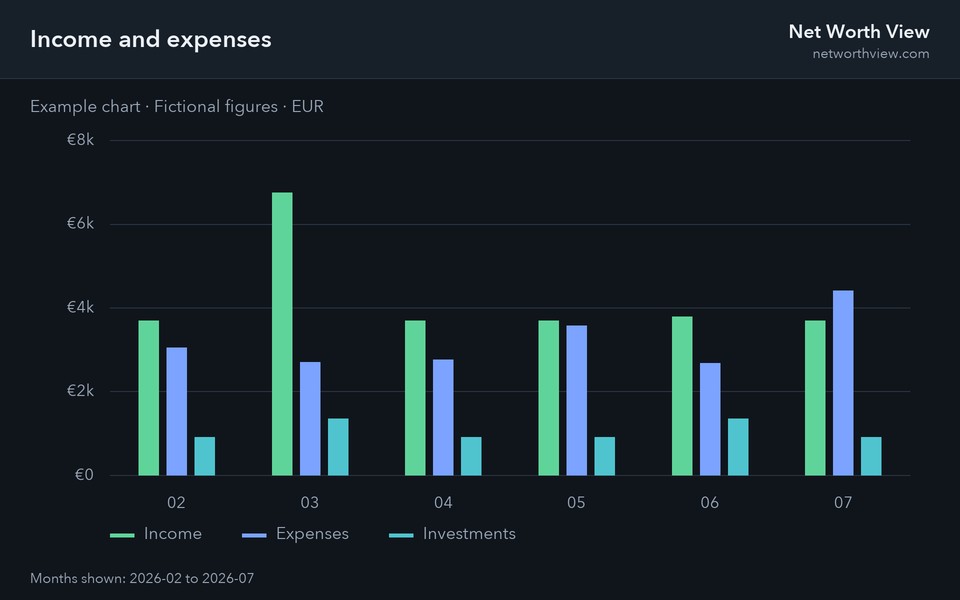
How to use the cash flow tracker

  1. Add an entry for each income, expense or investment in a month, with a category such as Salary, Housing or Stocks & funds.
  2. Save salary, rent, subscriptions or a standing investment order as recurring items. Add monthly items from a month row and yearly items from a year row in Entries; nothing is posted automatically, and you can edit an added entry when the real amount differs.
  3. Choose a period: one month, a calendar year, the year to date or all time. Trend charts switch between monthly and yearly totals.
  4. Read the savings rate and cash retained, then follow the money-flow diagram to see how income divides between spending, investing and cash kept.

Income, expense or investment?

Income
Money arriving: salary, bonus, business profit, investment income, pension payments, rent received and gifts.
Expense
Money spent: housing, food, transport, utilities, healthcare, insurance, entertainment, sport, shopping, education, travel and debt payments.
Investment
Money moved into assets you keep: pension contributions, stocks and funds, bonds, property and crypto. It lowers cash retained but leaves the savings rate unchanged.

Recording choices that change your savings rate

Take-home or gross pay: entering net salary gives a savings rate on the money that reaches your account. Entering gross salary with income tax as an expense gives a lower rate for the same saving, because tax then counts as spending. Either works if you keep to one.

Salary-sacrifice and employer pension contributions never pass through your account. To count them, record each as both income and an investment: the savings rate rises and cash retained stays the same.

Credit cards: record purchases as expenses in the month you make them, or record the monthly repayment as a single Debt expense. Recording both counts the same spending twice.